Let’s talk about the most common mistake I see when organizations get excited about immersive training.
They start with the headset.
It’s understandable. VR demos are electric. You put someone in a headset, show a realistic scenario, and suddenly everyone wants to be the “innovation team.” But if your actual goal is immersive training scalability, the smartest move is almost always the least flashy one:
Start on desktop training solutions (and tablets) first, then earn your way into VR.
That is not a compromise. It’s a rollout strategy that reduces friction, builds adoption fast, and sets you up to scale immersive learning across a distributed workforce without turning your pilot into a science project.
Immersive training scalability is an adoption problem, not a creativity problem
Most L&D teams do not struggle with ideas. They struggle with deployment.
You can build a beautiful immersive module and still fail if it requires specialized hardware, strict scheduling, and a handful of trained “VR champions” just to run a session. That is why a VR training rollout strategy should be designed like a product launch: remove barriers, widen access, and prove value early.
Here’s the blunt truth: the widest, most reliable training device in your organization is already in everyone’s hands. A laptop, a desktop, or a tablet.
And behavior supports that. Global web usage is split heavily between mobile and desktop, with mobile slightly leading and desktop close behind. In December 2025, StatCounter shows mobile at about 54% and desktop around 46% worldwide. That means your people already live on screens, and they are comfortable learning there.
So if you want fast adoption, start where your learners already are.
Desktop-first makes immersive learning immediately usable for distributed workforce learning
If your workforce is distributed across job sites, clinics, plants, territories, or time zones, “everyone comes to the VR room” is not a strategy. It is a bottleneck.
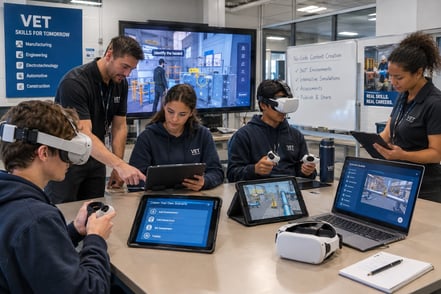
Desktop and tablet delivery lets you:
- Train across locations without shipping hardware
- Get learners into modules immediately, without scheduling logistics
- Onboard new hires faster, because the training is always available
- Build a shared baseline before you introduce advanced modalities
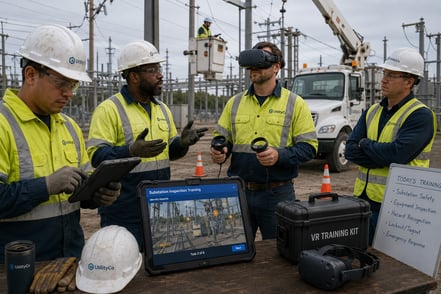
This is especially important in industries like energy, utilities, and manufacturing where teams are spread out and safety requirements are high. Even a modest delay in training readiness can have real costs. Workplace injuries alone carry massive economic impact: the National Safety Council estimates the total cost of work injuries in 2023 at $176.5 billion. If immersive learning helps reduce errors and incidents, you want it deployed broadly, not trapped in a limited headset pilot.
Desktop-first is the fastest way to prove ROI and earn buy-in
A lot of “innovation” dies in the gap between a cool pilot and a scalable program.
The gap is usually measurement. Leadership wants proof, not vibes.
Starting on desktop makes it easier to get the metrics you need for an L&D deployment strategy that scales:
- Completion rates and time-on-task
- Knowledge checks and scenario decisions
- Drop-off points that reveal where the training is unclear
- Performance improvement signals tied to real work outcomes
This matters because training is not a small line item. Corporate learning is a massive market, and organizations spend heavily on it. Josh Bersin cites more than $340 billion spent on employee training and development, averaging over $1,500 per employee per year. With spending like that, leaders increasingly expect training to behave like an accountable business function: measurable, improvable, scalable.
Desktop delivery helps you get there faster because you can put training in front of more people immediately, collect data sooner, and iterate without logistics slowing you down.
Where VR fits: high-impact moments, not day one for everyone
None of this is anti-VR. VR is powerful when used intentionally.
PwC’s research on VR training effectiveness is a big reason so many teams get excited, and for good reason. In PwC’s study, VR learners completed training up to 4x faster than classroom learners and reported stronger emotional connection to the content compared with classroom and e-learning. Those are not small gains.
But here’s the forward-thinking take: VR shines brightest once you already have a program that works.
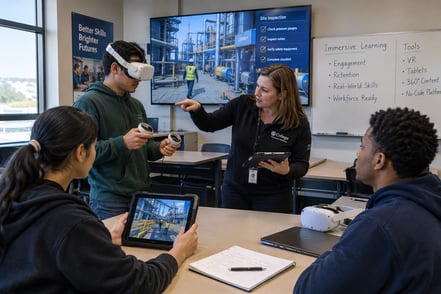
Think of desktop/tablet as your scalable core, and VR as your high-impact layer for the moments that justify it:
- Hazard recognition and safety scenarios where realism changes behavior
- Critical operations where mistakes are expensive or dangerous
- Soft-skills simulations where practice in realistic environments matters
- Assessment moments that need deeper immersion than a screen provides
By the time you introduce VR, you have already validated the content, refined the learning design, and built internal credibility using desktop results. VR becomes the accelerator, not the starting line.
This also aligns with what researchers increasingly note about enterprise XR: scaling is often blocked by organizational and financial readiness, not just the technology itself. Desktop-first reduces those readiness barriers because it is simpler to deploy, easier to access, and faster to operationalize.
The pragmatic rollout: a desktop-first VR training rollout strategy that actually scales
Here’s a rollout approach that works in the real world.
Phase 1: Desktop training solutions as the baseline
Start with the workflows and scenarios that affect the most people:
- Onboarding and role readiness
- Standard operating procedures
- Compliance refreshers
- Incident prevention scenarios
Deliver them on desktop and tablet so adoption can spread quickly across teams and locations.
Phase 2: Add interactivity and measurement
Increase realism with interactive decisions, branching scenarios, and “do this, then that” logic. Measure learner choices and outcomes. This is where your immersive training scalability starts to show, because you can improve modules based on real learner behavior.
Phase 3: Introduce VR for the moments that deserve it
Once your content is validated and your stakeholders trust the program, introduce VR where it provides a clear advantage. Use it for the high-risk, high-cost, high-stakes scenarios where immersion changes performance.
Phase 4: Scale the ecosystem with a no-code training platform
If you want speed, you cannot rely on a tiny group of specialists to build everything. This is where a no-code training platform matters. No-code approaches are specifically designed to let non-technical teams build and iterate without waiting on engineering cycles.
In practice, this is the difference between “we launched one pilot” and “we can roll out immersive training across departments and sites.”
Where Facilitate fits in this story
If you’re an L&D leader or operations manager exploring pilots, you want pragmatic momentum.
Facilitate’s positioning as an immersive training platform makes sense when it supports the desktop-first reality: deliver interactive training immediately on desktop and tablet, prove adoption and results, then expand into VR when the organization is ready. That approach respects the way enterprises actually deploy learning, especially in industries like the energy sector where teams are distributed and training needs to move as fast as the business.
The best immersive strategy is not the one that looks coolest in a demo.
It’s the one that scales.
And the smartest way to scale is to start on desktop.



Comments